
香橙派做软路由的方法
辰讯云上的操作
香港落地端使用的是辰讯云,公网IP是103.242.15.165,使用如下命令创建tap网卡
ip tuntap add dev tap0 mode tap
ip link set tap0 up
ip addr add 192.168.52.1/24 dev tap0修改/etc/sysctl.conf,添加如下配置,以开启路由转发功能
net.ipv4.ip_forward = 1出口网卡还要启用NAT地址转换(这一步是必须的)注意:不同的主机网络接口名称不一定相同,需要将下面的eth0替换为实际的网络接口
iptables -t nat -A POSTROUTING -o eth0 -j MASQUERADE

# 查看NAT表方法
iptables -t nat -nvL启动simpletun。注意:Ubuntu 24.04启动了simpletun之后,好像tap0设备就消息了,Ubuntu 22.04不会有这种现象
cd ~/simpletun-crypt
nohup ./simpletun -i tap0 -p 63389 -a -d -s &
香橙派
假设eth0为外部网络接口,wlx001325ad839d为无线网卡名称,无线网卡使用192.168.85.0/24,有线网卡使用192.168.86.0/24/网段。
暂停系统自带的DNS服务
systemctl stop systemd-resolved
systemctl disable systemd-resolved
重启ntp服务,确保系统时间准确
systemctl stop ntp
systemctl start ntp
安装hostapd和dnsmasq
apt install hostapd
apt install dnsmasq
停止dnsmasq和hostapd服务,后面改为手动加载我们指定的配置文件启动
systemctl stop dnsmasq.service
systemctl stop hostapd.service
接入无线网卡,并设置AP接入点的IP地址及子网掩码
ip link set wlx001325ad839d up
ip addr add 192.168.85.1/24 dev wlx001325ad839d
创建tap网卡
ip tuntap add dev tap1 mode tap
ip link set tap1 up
ip addr add 192.168.52.2/24 dev tap1
为了让AP客户端能够访问互联网,需要开启NAT地址转换并启用IP转发功能
iptables -t nat -A POSTROUTING -o tap1 -j MASQUERADE修改/etc/sysctl.conf,添加如下配置,以开启路由转发功能
net.ipv4.ip_forward = 1与辰讯云主机之间通讯添加特定的路由
route add -host 103.242.15.165 gw 192.168.1.1 dev eth0启动simpletun
cd ~/simpletun-crypt
nohup ./simpletun -i tap1 -p 63389 -a -d -c 103.242.15.165 &
删除原先的默认路由,并将tap网卡设置为默认出口路由
ip route add 0.0.0.0/0 via 192.168.52.1 dev tap1修改/etc/resolv.conf文件的DNS解析设置,设置为
nameserver 1.1.1.1利用ping保持隧道连接活动,其中-i选项指定间隔时间(秒)
nohup ping -i 20 192.168.52.1 &备份dnsmasq配置文件
cp -p /etc/dnsmasq/dnsmasq.conf /etc/dnsmasq/dnsmasq.conf.bak配置/etc/dnsmasq/dnsmasq.conf如下
domain-needed
bogus-priv
server=1.1.1.1
# Listen address is better because, with "interface", it will also listen on "lo"
listen-address=192.168.85.1
dhcp-range=192.168.85.50,192.168.85.250,12h
启动dnsmasq
dnsmasq -C /etc/dnsmasq/dnsmasq.confhostapd的配置文件/etc/hostapd/hostapd.compat5g.conf如下,使用5g模式(兼容大多数设备)
# Basic configuration
interface=wlx001325ad839d
driver=nl80211
ssid=FanQiang
hw_mode=a
channel=36
ieee80211n=1
ht_capab=[HT20][SHORT-GI-20]

# Security settings
wpa=2
wpa_passphrase=502502502
rsn_pairwise=CCMP

# Additional compatibility settings
ieee80211ac=1
vht_capab=[VHT80][SHORT-GI-80]

# Optional settings
max_num_sta=20
country_code=CN
auth_algs=1
wmm_enabled=1
启动hostapd
hostapd -B /etc/hostapd/hostapd.compat5g.conf如果需要调试,使用如下命令
hostapd -dd /etc/hostapd/hostapd.compat5g.conf荣耀路由器
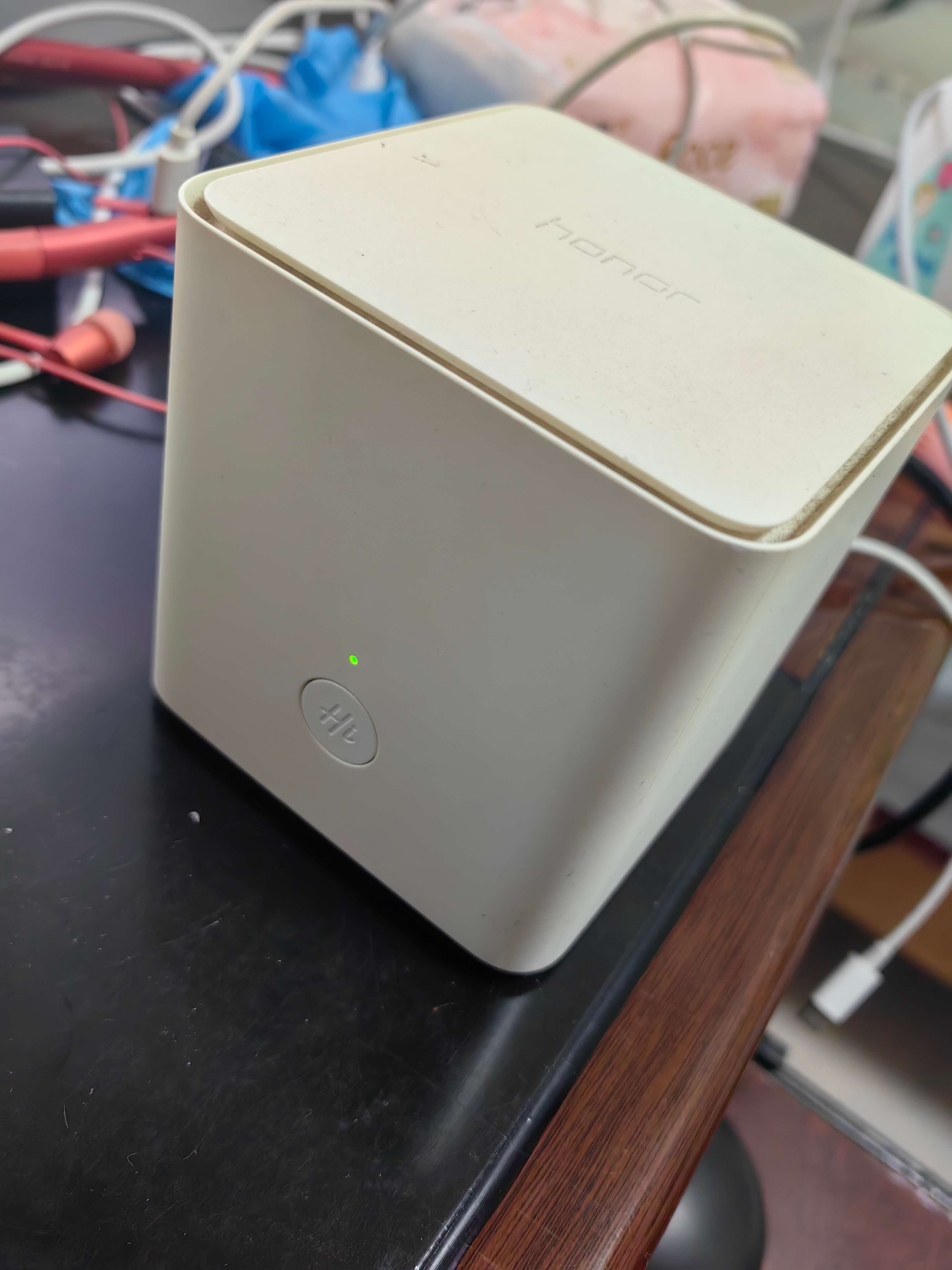
如果要使用香橙派的lan0接口分线出去连接荣耀路由器,则将lan0设置为以下IP
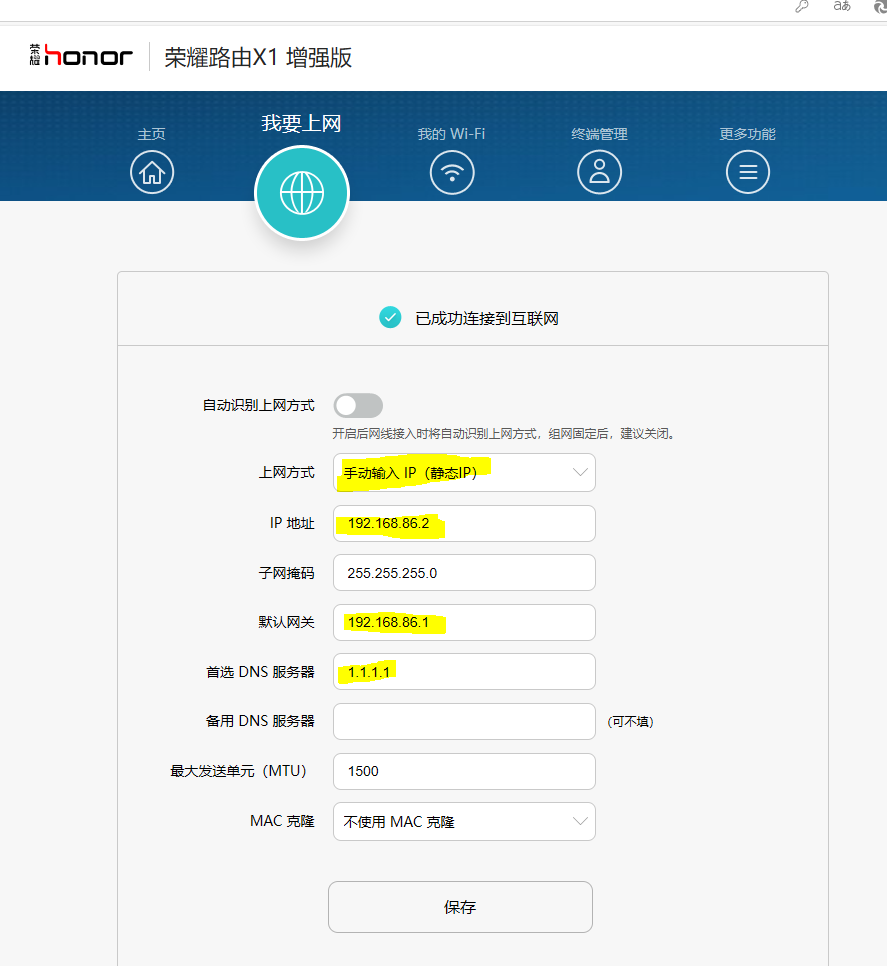
ip addr add 192.168.86.1/24 dev lan0路由器使用静态IP: 192.168.86.2,与lan0同一网段,默认网关设置为lan0: 192.168.86.1,如下所示
架构图
- 辰讯云
eth0为公网网卡
tap0为与香橙派建立隧道的网卡
- 香橙派
eth0为连接外网的网卡
tap1为与辰讯云建立隧道的网卡
192.168.85.1为对外开放热点的无线网卡的IP
lan0为与荣耀路由器连接的网卡,使用192.168.86.0/24网段
- 荣耀路由器
荣耀路由器上游与lan0连接,使用192.168.86.0/24网段
荣耀路由器对客户端开放使用192.168.3.0/24网段